Beautiful docs for humans. Native tools for agents.
Duvlify is an open-source Astro framework for documentation you own end to end: Markdown in, a fast static site with search, an API reference, and an MCP server out.
Duvlify is an open-source framework for documentation sites. You write your pages in Markdown. Duvlify builds a fast, static website from them, with search, an API reference, and a server that lets AI agents read your docs.
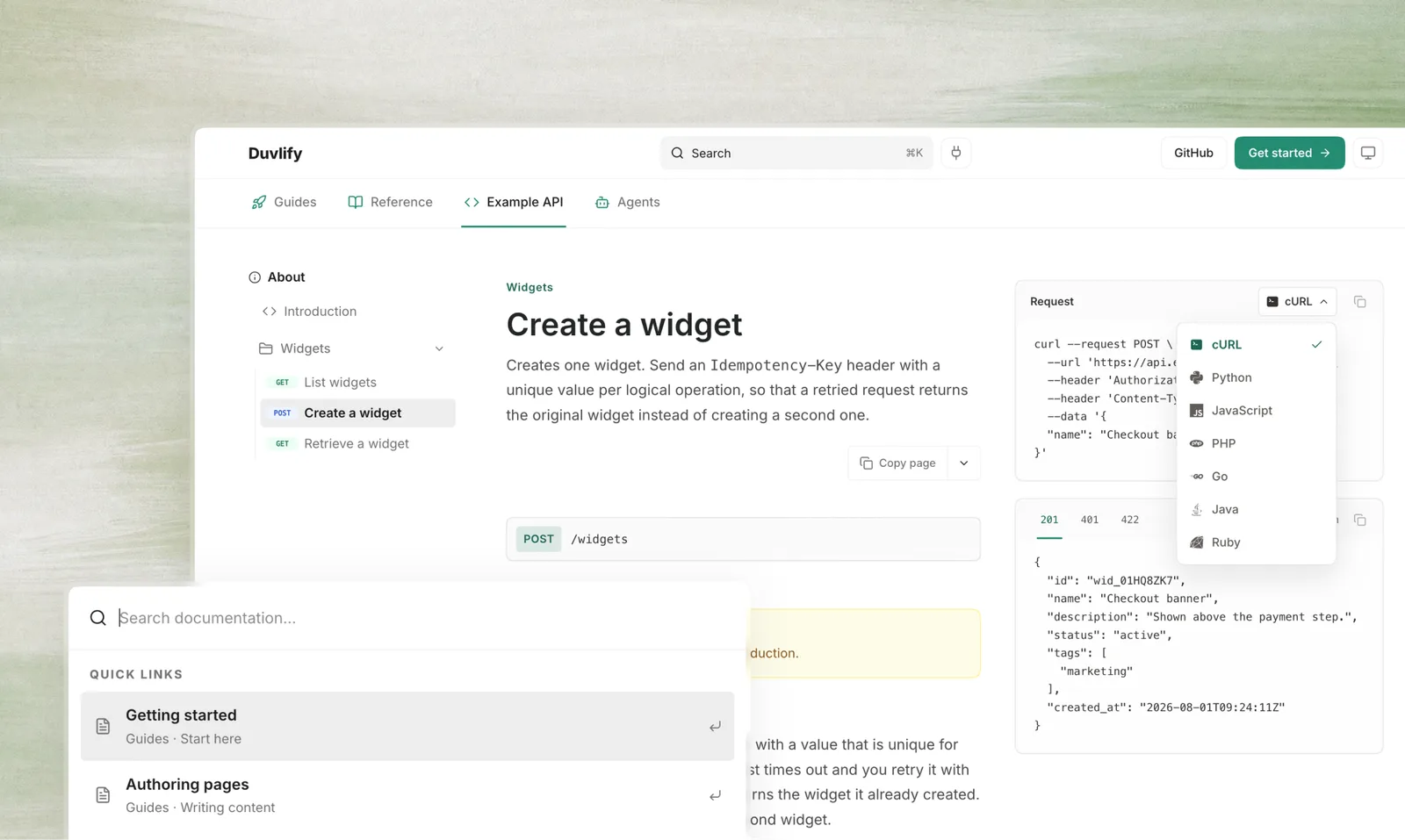
No hosted service sits between you and your site. No per-seat fee. No app framework loads in the visitor’s browser. The output is plain HTML files, and you own every one of them.
Get started
Clone it, run one command, and see your site.
Write a page
Add frontmatter to a Markdown file. Its path becomes its URL.
Serve AI agents
One endpoint turns your docs into tools an agent can call.
Deploy it
Ship it on Cloudflare, or on any static host you already use.
Why teams pick Duvlify
You own the output
Plain HTML files. Move them to any host at any time.
No watermark
Nothing on your pages says who built them. Nothing to pay to remove.
Nothing to pay per seat
Free and open source, under the MIT licence.
Yours down to the layout
The components and styles are in your repository. Edit any of them.
Built to be checked
A broken link or a bad field stops the build and names the file.
No service in the middle
Nothing is fetched at build time. It works offline, and it keeps working.
See the full list of reasons, and the use cases Duvlify fits, on the Why Duvlify page.
Start in one command
git clone https://github.com/DuvInc/duvlify.git && cd duvlify
npm install && npm run devgit clone https://github.com/DuvInc/duvlify.git && cd duvlify
pnpm install && pnpm devA fresh clone runs with no setup. Search works. The agent tools answer. The build passes. Every optional service starts switched off, so you do not need an account to see your first page.
One file controls the site
A page states what it is: its title, its description, its icon. The file
src/docs.config.ts states where that page sits in the navigation. Duvlify
joins the two at build time. The sidebar, the tabs, the search index, and the
agent tools all read that one result.
export const navigation: NavTab[] = [
  {
    id: 'guides',
    label: 'Guides',
    icon: 'rocket',
    groups: [
      { label: 'Start here', icon: 'zap', pages: ['getting-started', 'why'] },
    ],
  },
];
Nothing here repeats a page’s own frontmatter. If a listed page does not exist, or a page exists in no group, the build stops and tells you which one.
Built for people and for AI agents
A person reads a web page. A search engine wants one clear page per topic. An AI agent wants plain Markdown, a map of your docs, and permission to read them.
Duvlify serves all three from one build. Add .md to any page URL to get that
page as plain text, or ask for it with the header Accept: text/markdown.
curl https://duvlify.dev/guides/authoring.mdcurl -H "Accept: text/markdown" https://duvlify.dev/guides/authoringcurl https://duvlify.dev/llms.txtOpen source, MIT licence
Fork it. Use it in a paid product. Keep your changes private if you want. The MIT licence asks only that you keep the copyright notice.